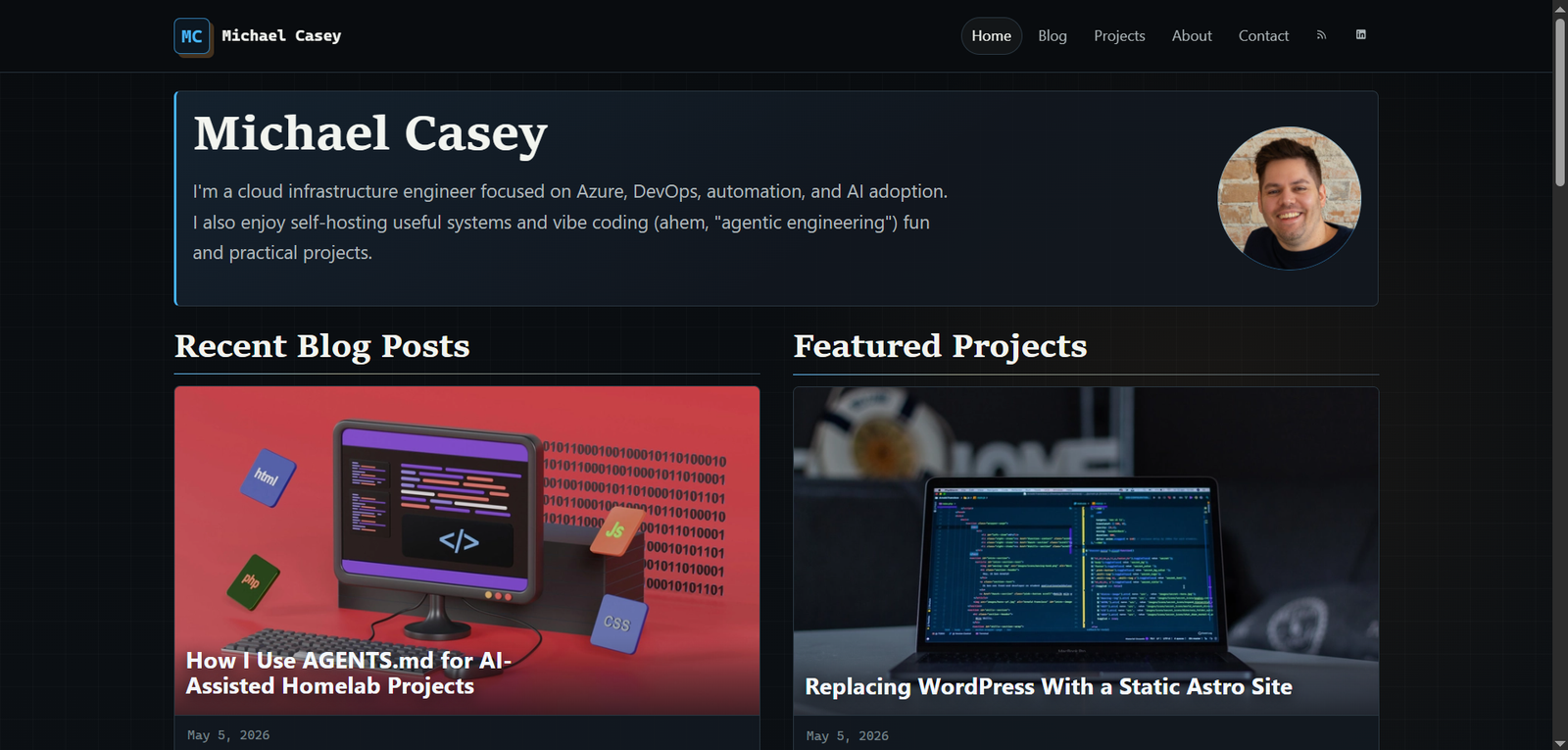
Recently I was thinking about how to improve the SEO of my site. I knew I could use AI to help generate alt text for images, suggest tags for posts, and clean up metadata. But doing all of that manually would mean a lot of copying and pasting. It wasn’t worth paying for AI features in a WordPress plugin just to make that process a little easier.
The site before the glow up:
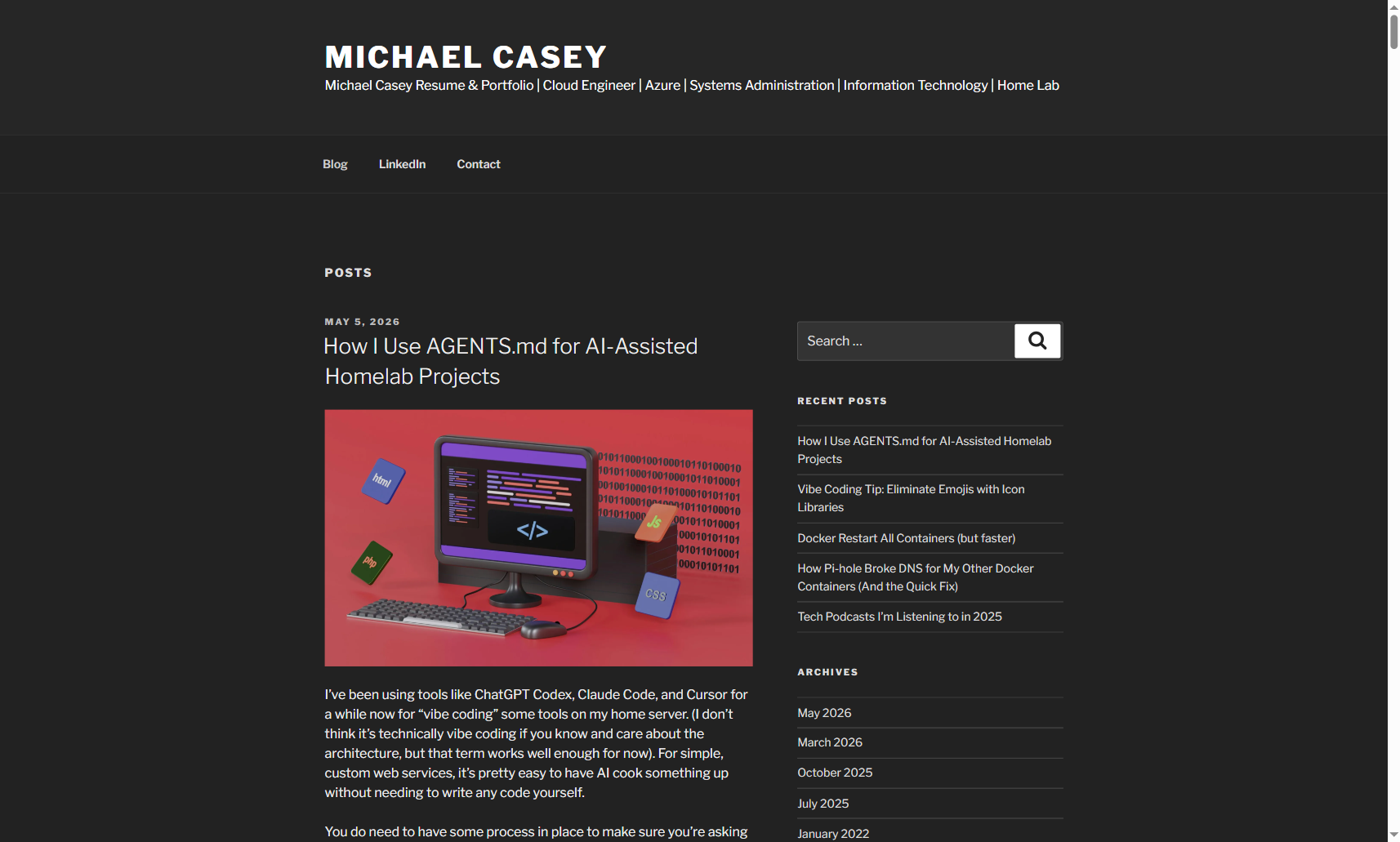
What I really wanted was the same kind of AI-assisted workflow I already use when coding, but available for my website. Not AI writing the posts - all posts remain human-written, but AI helping with the tedious parts around formatting, tagging, images, and cleanup.
That pushed me toward building a custom version of the site. Once I started thinking through that, the next decision was the architecture. I knew I wanted the posts stored in Markdown. That makes them easier to review and easier to edit with AI tools. It also means I can use my local Gitea server to back up the site and keep a revision history.
From there, Cloudflare Pages made a lot of sense as the host, which pointed toward creating a static site. As it turns out, this has a number of advantages. The free hosting saves a few bucks a month. Cloudflare Pages is very performant, especially compared to running WordPress on a small shared hosting server. It’s also much more secure, as the only real public attack surface becomes Cloudflare itself. Minor site updates and layout tweaks become quick AI-assisted coding changes.
Architecture more in depth
The site frontend uses Astro to convert the Markdown files into HTML and build the static site. A few integrations with hosted services were needed for basic functionality. Comments, the contact form, and analytics all rely on external services. The build process is pretty quick and the resulting pages are quite lightweight. With some images, they are not small enough for the 10KB Club or even the 512KB Club, but close enough. After giving the AI coding agent some skills for performance, SEO, accessibility, and other best practices, the site passes a lot of automated test suites with flying colors.
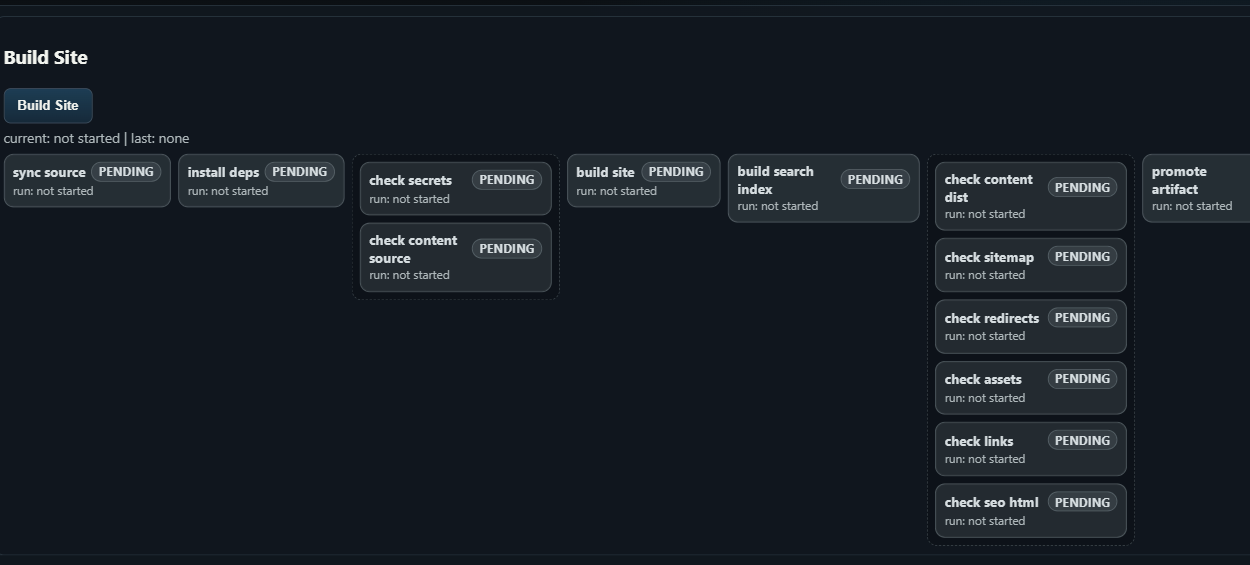
Behind the static site is a local Python app running in Docker on my home network. That local app is where I can add the workflow pieces I wanted from the beginning: an Unsplash image picker, tag generation, and other tools. It also handles the publishing pipeline, building the site from the Git repo and publishing either to a local test copy or to the live site on Cloudflare Pages. It’s able to run each new post through a number of automated checks before publishing. This admin tool is separate from the live site and not accessible from the Internet.
The build / publish pipeline, inspired by Azure DevOps:
The local container also includes uptime monitoring and alerting, along with basic web stats using the Google Analytics API. That keeps the operational side in one place without adding more moving parts to the public site.
The funny thing is that this started with a pretty small goal: make SEO cleanup easier. But with modern AI tools, it was better and easier to build a whole custom site. Of course my solution is not nearly as good as WordPress is for everyone, but it’s better tailored to the tools I need for this site.
I did ask the AI agent to share some more details about the site, here’s what it gave me:
Technical recap
# Technical implementation recap
The durable parts of the system are mostly in the integration layer. Astrohandles the static build, while the content model, editor state, validation,Git workflow, and deployment path all depend on a shared source of truth.
## Content model
Posts are Markdown files with frontmatter, but the frontmatter is treated likean API contract:
- `title`, `description`, `date`, `slug`, and `tags` have to exist.- Production posts need a hero image and alt text.- Slugs are stable and map directly to the public URL.- Build checks fail before publish if metadata drifts.
This keeps the editor simple. If the file is valid, Astro can build it. If itis not valid, the pipeline stops early.
## Editor state
The local admin tool keeps draft/editor state separate from the actualMarkdown file in Git. That separation is important because the same post canexist in different lifecycle states.
The main states are:
- Saved in the editor database.- Committed and pushed to Git.- Deployed to the public site.
Those states cannot be treated as the same thing. A post can be saved locallywithout being committed, and it can be committed without being deployed. The UIneeds to make those differences visible.
## Autosave and multiple open editors
Autosave creates an obvious conflict case: the same post can be open in twobrowser tabs, edited in both, and saved out of order.
The practical fix is revision checking. Save and publish requests include therevision the editor is editing. If the server has a newer revision, the requestis rejected instead of silently overwriting newer content.
Stale revision handling should come before richer formatting tools because itprotects the content itself.
## Git publish path
The publish flow also needs to behave like a real Git client, not just write afile and push optimistically.
The useful safeguards are:
1. Set Git author name and email from environment variables.2. Apply token auth consistently to fetch and push.3. Repair or recreate the branch checkout if `HEAD` gets into a bad state.4. Fetch and fast-forward from origin before writing the post.5. Commit only the intended post file and push back to the source repo.
Most failures in this area are normal Git state problems showing up inside along-running container, not Astro-specific issues.
## Image pipeline
Hero images work best when they live in the Astro asset tree instead of beingtreated as loose public files. That lets the build generate optimized variantsand catches broken image references during local checks.
For this setup, the post points at an asset path in `src/assets/images/posts/`.Astro handles the output formats and sizes during build.
The admin pipeline still has a small preprocessing step before that handoff.Imported or picked images are copied into the repo, renamed to stablekebab-case filenames, and attached to the post frontmatter before the contentchecks run. That keeps image handling deterministic instead of depending on atemporary download URL or a file sitting only in the editor container.
## Recommended build order
For a similar rebuild, these pieces should come before AI helpers:
1. Markdown/frontmatter schema and source checks.2. A simple editor that can save drafts without touching Git.3. Revision checks so stale tabs cannot overwrite newer edits.4. A publish step that pulls latest, writes one file, commits, and pushes.5. A local build gate that runs before anything deploys.
AI-assisted features are useful, but they sit on top of this plumbing. Withoutthe checks, AI tooling can make it faster to create broken content.
## Security and privacy guardrails
- Keep tokens, private hostnames, internal paths, and local network details out of posts and logs.- Use environment variables for deploy credentials and Git identity.- Keep the admin app private; only the static output should be public.