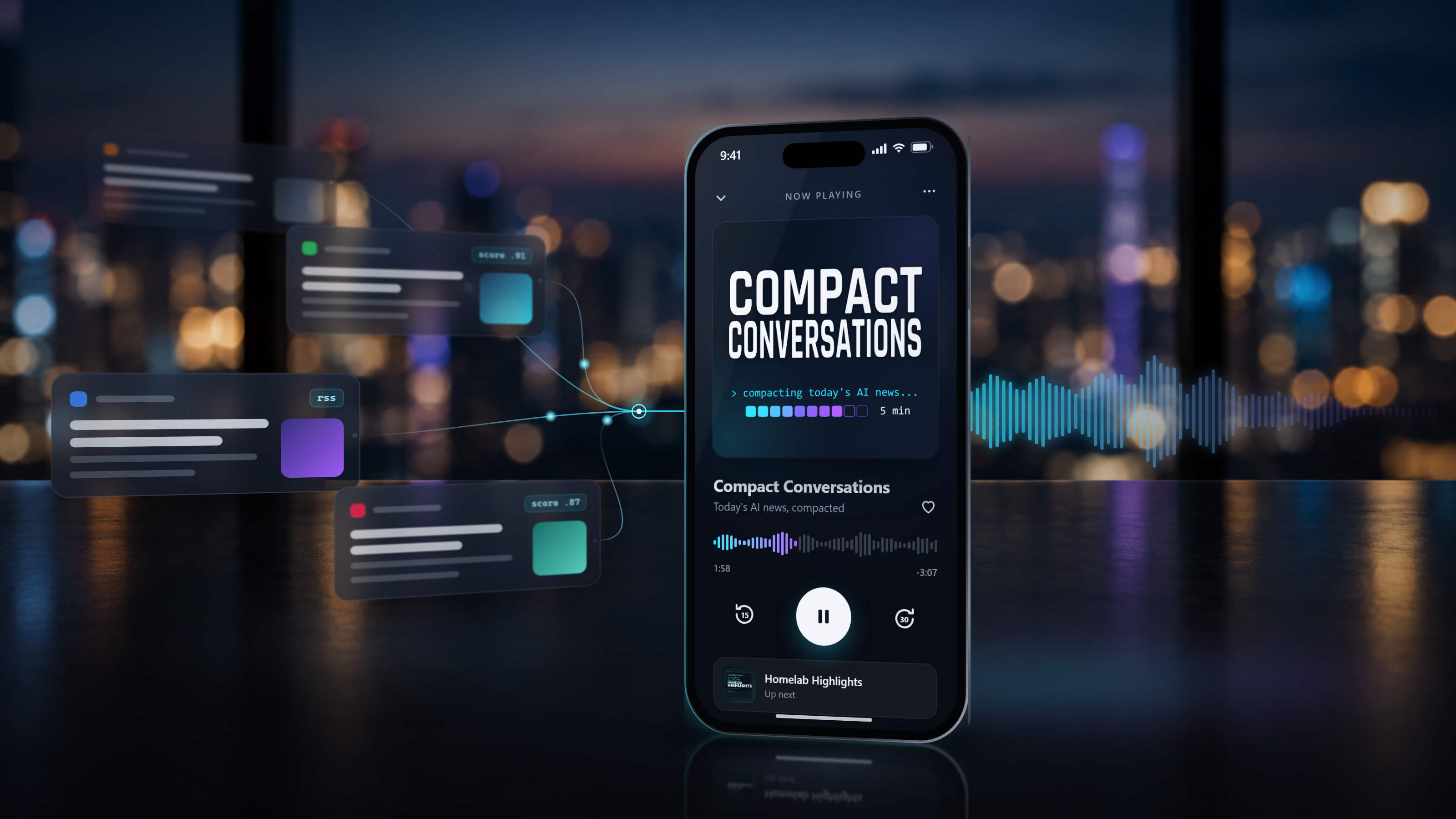
Why use NotebookLM when you can make the same thing harder, slightly worse, and cost more?
The same reason any of us self-host, of course. The customizability, the fun of designing it, the challenge. So far in my homelab experiments, I’ve used AI to write code for local apps, but I haven’t actually deployed a project that uses an LLM for a recurring task. I wanted some experience designing a program around LLM output.
I’d already built some local news-reading infrastructure (which deserves a future post of its own), and I’ve written about how some of my favorite self-hosting and homelab podcasts have disappeared recently.
I have more time to listen to podcasts and audiobooks than I typically do to sit down and read. So creating my own personalized news podcasts became the obvious solution.
The result is two shows that pick, write, review, and voice their own episodes. Each run starts with a couple hundred RSS articles and ends with five or six stories, for about $1–2 a month in API costs. The orchestration runs in Docker on my home server, but the models themselves are cloud APIs. It also turned out to be a much better lesson in designing around LLM output than I expected.
The short version
What it is:
- Two podcasts, written and produced by AI, based on feeds and topics I’ve selected. Compact Conversations runs six days a week, and Homelab Highlights runs three.
- Quality: Good, not great. I haven’t replaced other podcasts I listen to, nor was I intending to. However, they’ve picked up stories other podcasts haven’t covered, along with some good tech tips I hadn’t seen. They’ve helped me keep up to date on new AI models and features, homelab software updates, and security issues.
- Cost: A mixture of free and cheap models from OpenRouter, taking advantage of free TTS through Gemini, for about $1–2 per month.
- Code: Too messy and personalized to be worth sharing, but you can listen to the podcasts here.
How it’s built:
- A self-hosted Docker container handles RSS ingestion, while another handles the podcast orchestration.
- Stories from the last day or two are initially ranked by Jev. The top 30 go to a cheap LLM on OpenRouter for final selection and assignment to episode segments.
- The script is written and reviewed by different LLMs for two AI voices. Notably, they’re told not to pretend to be human. They can say “an unusually interesting project,” but not “I would try this out.”
- The final script goes to Gemini for text-to-speech, then gets stitched together with musical cues and published to the podcast feeds.
If that interests you, read on for the long version (or have your agent read on, if you’re building something similar, and be sure to share it in the comments).
The initial design
I sketched out the pipeline with ChatGPT, then implemented it with a mixture of Claude Code and Codex. I bounced back and forth to juggle usage limits, or because one got stuck or didn’t do a particularly good job.
AI also helped with the names and cover art. I do think Compact Conversations was a pretty clever name for the AI news podcast. But I also wasn’t especially concerned about either, as the audience is just myself. I just needed them to be recognizable in Pocket Casts.
I eventually ended up with two shows:
- Compact Conversations is an AI news headlines show. The quick, headline-packed format helps with staying on top of the daily release of new models, new features, etc. in the AI world. This one is a little more to fill in the gaps of some of the weekly AI podcasts I listen to.
- Homelab Highlights covers self-hosting news, useful tools, security alerts, hardware, and community projects. It’s a little longer and more conversational. This one picks up the slack from some podcasts that were discontinued.
The project turned out to be harder than I expected. Quite a few iterations later, here’s roughly how one night’s stories get narrowed down:
One Homelab Highlights night, from scored candidates to the final lineup.
And here’s what handles each stage right now:
| Stage | Model |
|---|---|
| Initial ranking | Jev |
| Story selection | GLM 5.3 Flash with web search, then plain Python rules |
| Script writing | GLM 5.3 Flash |
| Script review | DeepSeek v4 Flash |
| Voices | Gemini 3.1 Flash TTS (Puck and Callirrhoe) |
| Episode memory | OpenAI text-embedding-3-small |
Everything around the models is ordinary code: a Python/FastAPI app running in Docker on my home server, FFmpeg for the audio, and publishing through this website, a static Astro site hosted on Cloudflare Pages. The pipeline is integrated with the local editor and publishing tools I built for the site, which I wrote about here.
Finding the news worth covering
The pipeline starts with the RSS feeds I monitor: news-heavy for Compact Conversations, more subreddits, forums, and community projects for Homelab Highlights.
With the current feed lists, Compact Conversations gets about 200 candidate articles per day, and Homelab Highlights sees somewhere between 100 and 250 for each episode in its Monday/Wednesday/Friday cycle.
It took a while to fine-tune what kinds of stories I wanted included in each podcast. Early versions of the homelab podcast, for instance, leaned too heavily into security news. I wanted more coverage of new software, tools, and projects, so I’ve been through a number of iterations of the various prompts used in the pipeline.
Deduplication was another major challenge, as the same story is covered in many places and often picked up multiple times. Initial attempts at deduplication still let some things slip through the cracks, so it now happens in several places:
- Same article: Group matching source URLs and heavily overlapping headlines, preferring the original publisher over a repost.
- Same event: Compare CVE numbers, product/version combinations, and distinctive project names, even when the headlines differ.
- Already covered: Check recent leads and episode history, rather than just today’s candidate list.
Ranking the candidates
Early versions used free OpenRouter calls to rank the articles in batches, returning structured JSON with each story’s ranking and reasoning. Once you’ve purchased at least $10 in credits, OpenRouter offers a higher daily allowance for free-model requests, which made this approach particularly inexpensive.
Since the free models rotate in and out a lot and can vary widely, each story would get scored twice and we’d take an average. My coding agent also had to build a lot of retry infrastructure around this, since the free models get overloaded fairly often.
More recently, I moved initial ranking to Jev, a model designed for fast, structured decisions. By sticking with a paid model, the quality remains more consistent and the prompts can be better tuned. The second-round selection pass also helps cover imperfections in the first-round ranking.
What I actually send to Jev
How Jev and other decision APIs work is outside the scope of this post, but each request has a state object with the show, episode date, article title, source, and up to 1,500 characters of summary, plus a questions object defining what Jev should decide. For the saved example below, that context came from a Techmeme entry linking to Anthropic’s FlashProve article.
The relevance-scoring instructions start like this:
Score this candidate story for a daily Compact Conversations episode, an AI-first show for technical AI users. Reward direct AI, model, agent, automation, AI infrastructure, AI security, and AI governance relevance.
As designed by the coding agent, it also supplies a ten-level rubric, from 0 to 9. A few actual entries:
5: acceptable AI news of modest importance8: very strong: a major release, incident, finding, or policy move in AI9: exceptional: one of the top AI stories of the day, with broad impact and strong sourcing
One of the other questions, shown exactly as supplied under questions, looks like this:
{ "show_relevance": { "type": "noul", "instructions": "Is the reported development itself directly about AI?", "criteria": { "true": "Directly about AI: models, agents, copilots, AI infrastructure, AI security, AI governance, or enterprise AI adoption.", "false": "Only tangentially AI: general tech, security, cloud, infrastructure, hardware, or consumer news." } }}That noul answer is a probability from 0 to 1. A third question, notable_number, flags possible candidates for Number to Know, a recurring segment. Python checks the types and ranges, rescales the relevance score to 0–10, and caps a story at 3 if its on-topic probability is 0.35 or less. The model makes the judgment; the code applies the rule.
Here’s one real saved result from November 3, shortened to the fields used in the next selection stage:
{ "model": "typesafe/jev-1.13-20260917", "answers": { "relevance": { "type": "score", "score": 7.33, "probabilities": { "0": 0, "1": 0.01, "2": 0, "3": 0, "4": 0.01, "5": 0, "6": 0.04, "7": 0.48, "8": 0.41, "9": 0.05 }, "confidence": 0.74 }, "show_relevance": { "type": "noul", "noul": 0.97 }, "notable_number": { "type": "noul", "noul": 0.07 } }, "usage": { "input_tokens": 1402, "output_tokens": 56, "cost": 0.000058884 }}Jev splits its relevance answer across the rubric. Almost all the weight is on a 7 or an 8, so the score lands at 7.33. It’s confident the story fits the show (0.97) and doesn’t see a Number to Know in it (0.07). The whole call cost $0.00006.
Python rescales that 7.33 to 8.1 out of 10, which matches what the pipeline saved on November 3 almost exactly. That story eventually led the episode, but a high score alone doesn’t guarantee airtime. Jev adds a small cost but cuts scoring from minutes to seconds, freeing up free-model requests for other jobs. The free models remain a fallback. Notably, when I replayed saved story pools through both, Jev’s top 30 and the free models’ top 30 only overlapped by 30–50%. However, the episode quality seems to have improved, so that number alone is not a concern.
And besides, there was that week this fall when all the AI people went crazy about Jev and the other decision models. I had to give them a shot.
Selecting the final lineup
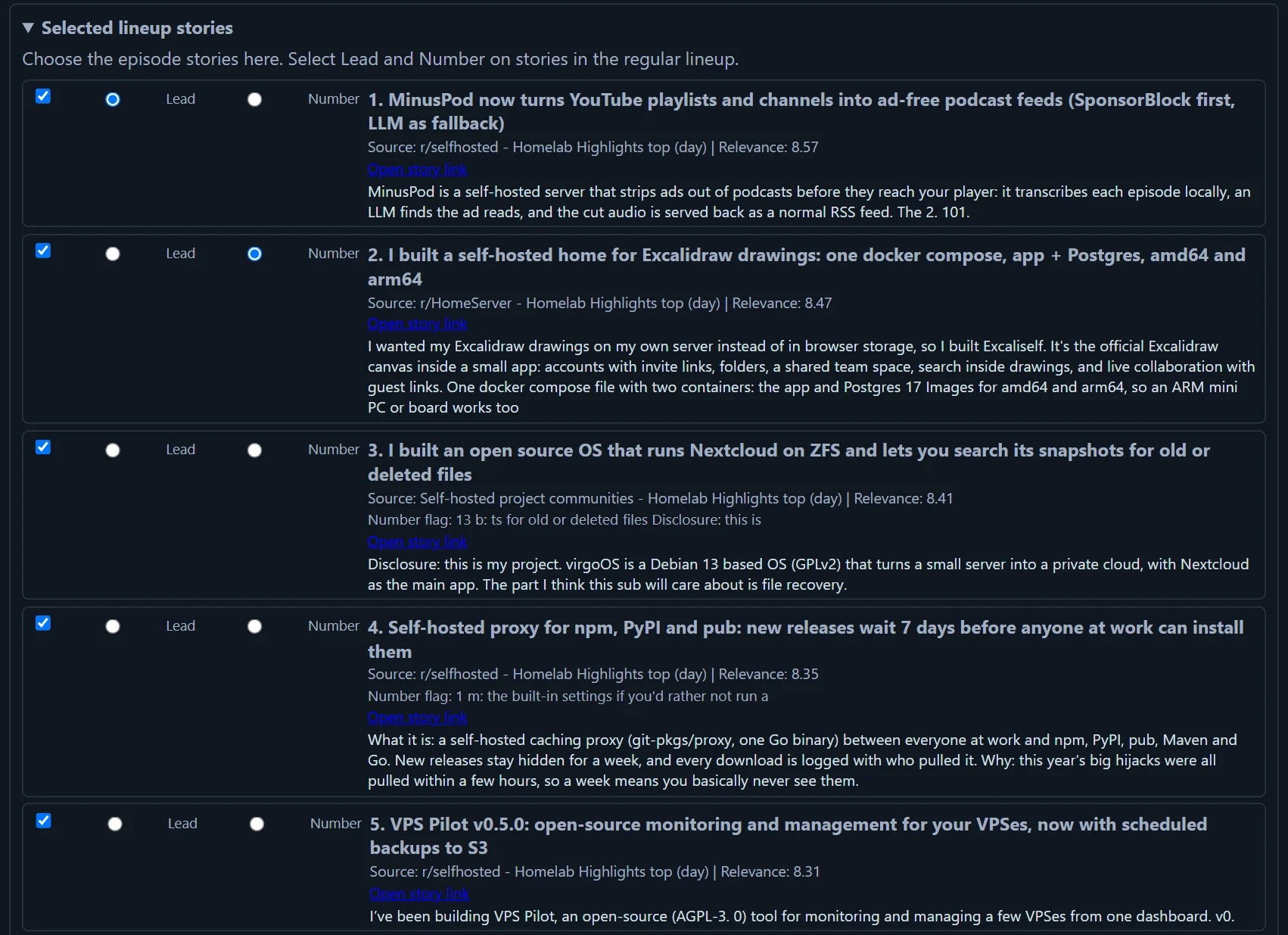
Then GLM 5.3 Flash, with web search, takes the top 30 or so and tries to make a cohesive episode: catch duplicates, reject stories already covered or poorly suited, assign segments, and decide what deserves the most attention.
The admin panel displays the final story selection with some manual override controls that were used only in the initial testing phases. I haven’t looked at the step-by-step breakdown in a while, but I think it’s also useful for coding agents debugging the pipeline to have that structured breakdown.
Writing and reviewing the scripts
With the stories selected, the pipeline moves into another two-step process: one LLM writes the podcast script, and a different model reviews it.
This stage ended up needing a lot more than simply asking an LLM to summarize some articles. That’s perhaps not surprising, given that making cheaper AI models cover news stories the way I’d want to hear them took some work.
The pipeline attempts to retrieve additional source text when the original RSS entry doesn’t contain enough information. It also tracks how complete that information is (full article, summary, or headline only), so the writer and reviewer can look for more information when they’re working from thin sources. The second round of story selection does its own web search, too, for additional context and accuracy checking.
I’ve had some interesting mistakes make it through. In one case, the podcast described an earlier AI model as the latest in a company’s lineup, three weeks after its successor had shipped. No one likes a confidently wrong AI voice.
When I dug into it, it turned out that most AI news stories had been reaching the writer as little more than a headline. The AI had coded the ranking models to get article summaries only, but had accidentally been sending the same stubs to the writer, too. It’s always good to ensure you know what’s going on under the hood with vibe-coded projects.
In addition to sending the whole stories to the writer, prompts were tuned to ensure appropriate fact-checking was done by the models with web access. I’ve found that both coding agents leaned toward too narrowly scoped fixes. When I asked them to fix that issue, they wanted to add tight rules around calling an AI model “the latest.” Instead, I pushed them toward broader improvements in fact-checking and context gathering.
I also tried removing the separate script rewrite after the critique to save cost and processing time, figuring the initial script might be good enough after some of the other improvements in giving it more information and guidance.
It wasn’t. The additional review and rewrite was making enough of a difference that I kept it.
In a lot of my AI coding work, and it holds up here, I’m a big fan of using a model from a different provider to fact-check the first. Seems like a lot of the time, the out-of-the-box AI answers give about 80% of what I want, and just getting a second AI opinion gets me more like 90-something percent of the way there. That’s a big difference.
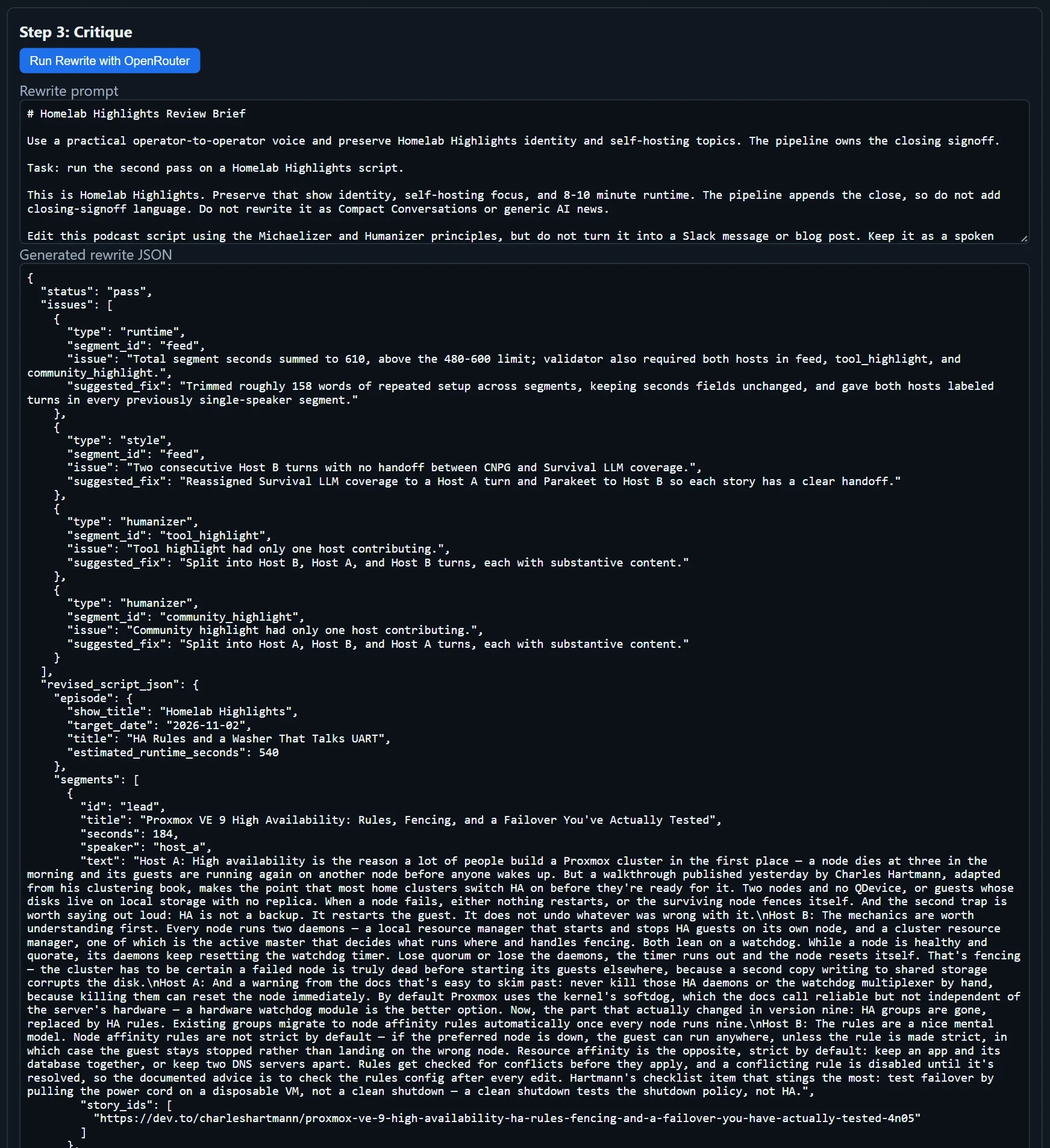
Example of what the script editor gets sent, as displayed in the podcast admin panel:
Giving the scripts some memory
The scripts also use RAG (retrieval-augmented generation) to bring in relevant context from previous episodes: editorial decisions, tips, and other episode information. That gives the writer some continuity, occasionally allowing a more natural line like “following up on a story that broke yesterday.”
Out of everything, RAG was one of the easiest parts to implement. I told the coding agent what I wanted, and it built a retrieval pipeline. There’s no vector database, just past episodes chunked into a JSON file, embedded with OpenAI’s text-embedding-3-small, and scored with cosine similarity plus a little weighting for recency and variety.
The embeddings cost fractions of a penny per episode, and that part has been nearly bulletproof since the start. I’ve noticed several instances where the writer clearly referenced previous episodes, so I know it’s being used.
Getting the voices right
Finally, the script goes to a text-to-speech (TTS) model.
This took some dialing in, as the range of available TTS models varies widely in both quality and pricing.
Originally, I had AI create a sort of audio contact sheet: take the first couple of sentences of an episode, generate them using several different model families and voices, and display a grid of audio players so I could compare them.
I initially wanted to deal exclusively with OpenRouter. Some impressive providers, including ElevenLabs, weren’t available through there, but it’s not worth having additional accounts to keep stocked with credits. The contact sheet compared Sesame, Orpheus, Deepgram, Grok Voice, Voxtral, and Gemini.
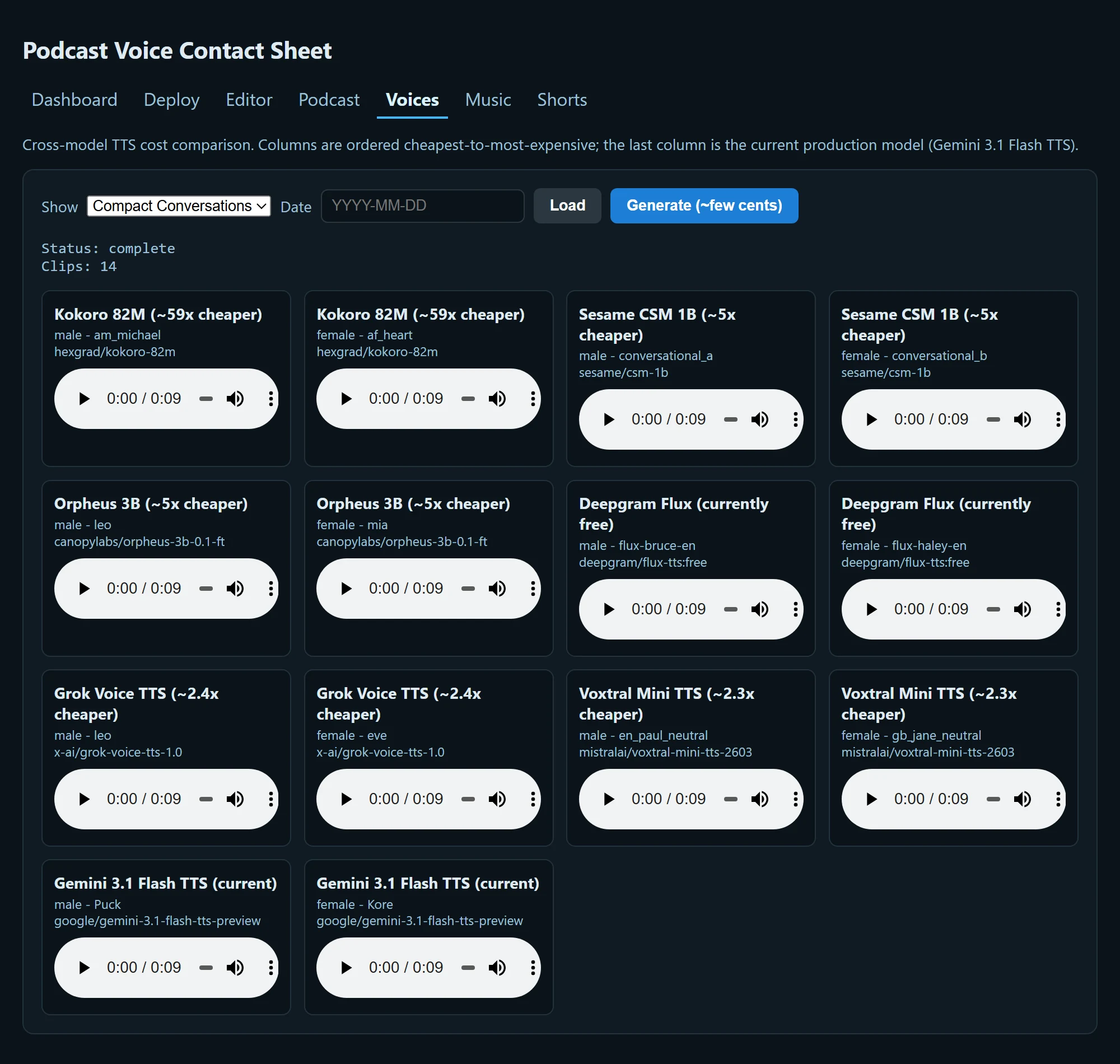
I also experimented with running Kokoro locally. On my CPU-only setup it was slow, and the results were pretty terrible, even for initial testing rounds.
The newer TTS models are pretty mind-blowing compared with the smart speaker voices of just a few years ago, but the costs add up. A few dollars per month for two podcasts isn’t unreasonable, but it’s more than I really wanted to spend on a little side project.
The voices I ended up using are Gemini 3.1 Flash TTS with Puck and Callirrhoe. They matched about what I’d expect for a news/tech-style podcast.
In a subsequent cost optimization pass, I discovered that the same TTS models were available through Google’s API with a free allowance. Although I wanted to limit the number of services this depends on, it made enough of a difference to switch, and it wasn’t too bad to generate the API key from Google’s AI Studio.
The free quota I was working with allowed ten generations per day. Passing an entire show in one request degraded the quality: after a couple of minutes, the speech gets quieter and slurred to unintelligibility.
So I had AI split each show into smaller chunks:
- Compact Conversations (~5 minutes): four generations.
- Homelab Highlights (~8 minutes): six generations.
- Nights both shows release (Monday, Wednesday, Friday): all ten free generations.
The pipeline still has the ability to fall back to Gemini on OpenRouter. Occasionally the pipeline will stall, and if I’m having a coding agent repair and backfill episodes, it can use this backup.
Once generated, the audio clips get stitched together with a little royalty-free bumper music, chapter information, and the other finishing touches. Although it took a couple of iterations to get everything right, ultimately it was pretty easy for the coding agent to do.
Getting the cost down
From the earliest planning, it looked like I could produce both podcasts for a few dollars a month. I was targeting something in the $3–6 range, which seemed perfectly reasonable for the experiment.
As time went on, though, I found the podcasts were good, but not great. They’ve definitely been useful, surfacing news stories and interesting projects I otherwise would have missed. But it didn’t seem like reaching that level of quality should require particularly expensive models. And I’m sure the quality could improve by letting some frontier models go crazy, but that’s not worth the expense.
I went back through the pipeline with AI and asked it to look for opportunities to optimize the costs without making the quality worse.
I had it swap in some less expensive Chinese models for script writing and review (GLM 5.3 Flash writes, DeepSeek v4 Flash reviews), experimented with decision models, and made the TTS changes described above. The useful comparisons from that work look like this:
| Stage | Change | Before | After | Why |
|---|---|---|---|---|
| Initial ranking | Free OpenRouter calls (random models) → Jev | $0, 4–16 min | $0.008, seconds | Free models were slow and overloaded |
| Story selection | Kept GLM 5.3 Flash + web search | $0.017 | $0.017 | Was working well |
| Script writing | Kept GLM 5.3 Flash | $0.003 | $0.003 | DeepSeek drafts sounded blander |
| Script review | DeepSeek v3.2 → v4 Flash | $0.04, 200 s | $0.002, 14 s | Far cheaper, quality still passable where the main task was writing rather than researching or thinking |
| Voices | OpenRouter → Google API | $0.12–0.24 | $0 | Fits Google’s free daily quota |
| Total per episode | $0.19–0.31 | $0.04 |
That comes out to about $1.56 per month, varying a bit with actual script lengths and an occasional voice fallback on OpenRouter for a few cents. A large part of that savings is through free Gemini TTS, but without that it’d just be a few bucks more a month to use the same models through OpenRouter.
It’s also gotten away from relying on the OpenRouter free LLM calls, which feels good for future stability.
Keeping the whole thing running
Once the initial pipeline was working, the project became less about building new features and more about letting it run, listening to the output, and fixing whatever wasn’t quite right.
The whole thing runs self-hosted in a Docker container on my home server, with a scheduled process that kicks off at 10 PM on episode nights.
I had the coding agent build an admin interface to keep an eye on the various stages. Visually, it’s a pretty unoriginal out-of-the-box AI look, but it was good enough for exposing the step-by-step information I needed for debugging.
I can trace a run through each step, see which articles survived selection, compare the original and revised scripts, and figure out where something went wrong. I haven’t needed to look at it much lately, but it was especially useful during early development.
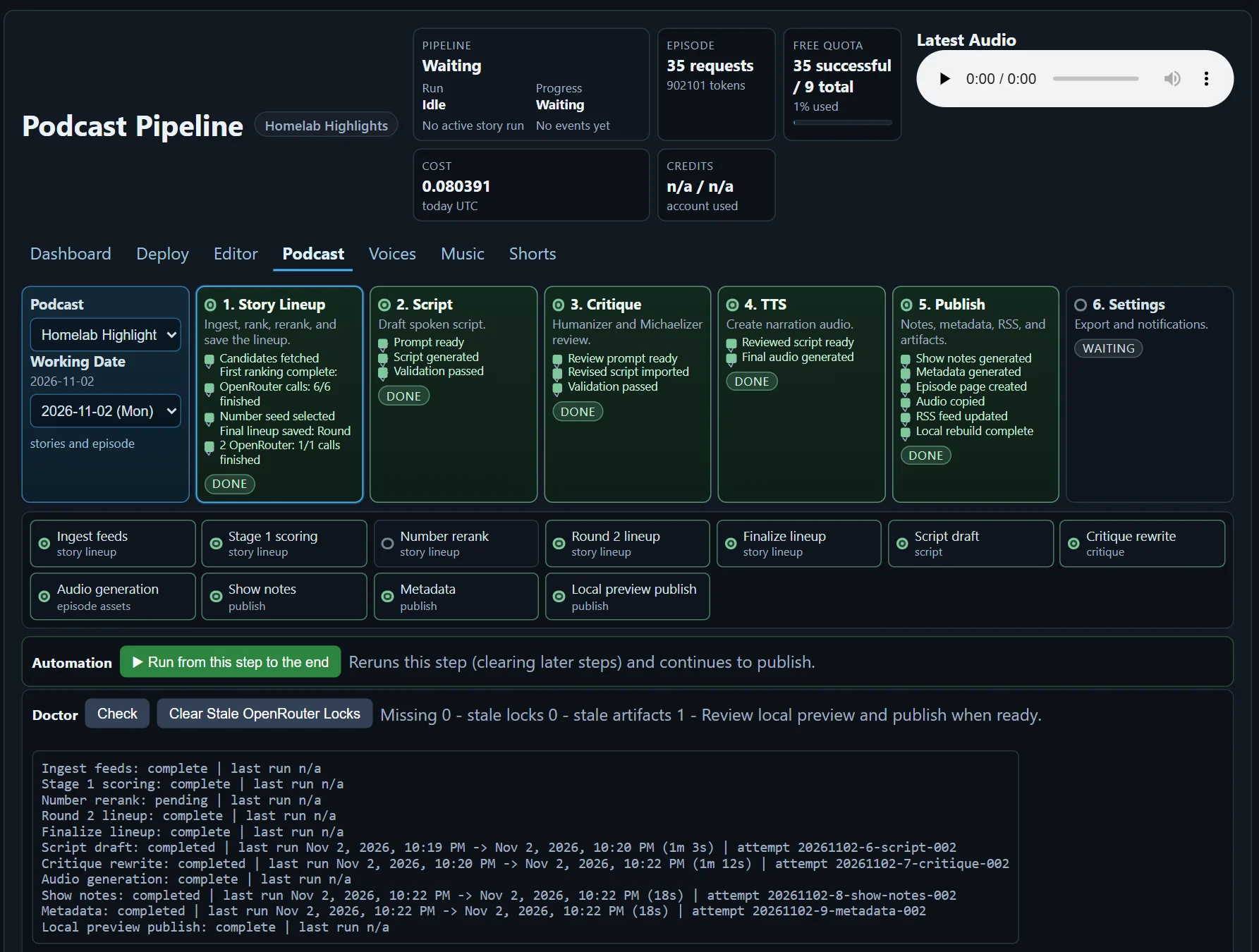
There has also been a lot of back and forth figuring out the right level of feedback to give the coding agents.
Sometimes “the podcast is too security-focused” works. Other times, it changes the tone in the wrong way and doesn’t fix the problem. I’ve also tried specifics: “the story about XYZ wasn’t a good fit” or “this part of the script was inaccurate.”
The trick is making sure the agent looks for a systemic fix. Left to its own devices, it sometimes wants to fix the individual episode rather than improve the pipeline so the same problem doesn’t happen again.
Adding the second podcast
Another interesting challenge came when I added the second podcast.
I originally built Compact Conversations and got it to a decent state before starting on Homelab Highlights. I expected that second show to be fairly straightforward: different feeds, a different format, and some adjusted instructions. For whatever reason, it wasn’t.
In retrospect, the project seemed more daunting at the outset, so I’d created the first podcast step by step. More initial planning to support multiple podcasts would have helped, as well as more planning when I implemented the second show.
Like so many longer-running AI projects, the coding models have gotten noticeably better since I started. So I also assume that process would have been a lot faster had I done it this month rather than a few AI models ago.
When the pipeline breaks
The pipeline still fails a bit more than I’d like, but it’s getting more reliable over time. Failures are probably less than once a week, and when it fails, I can just tell the coding agent to find the issue, look for a systemic fix, and babysit the pipeline to completion.
Over time, that process has resulted in a more stable pipeline by adding retries, monitoring, and automated alerts.
One example failure was at the story selection step: the reasoning models were spending three to nine minutes thinking before they answered, against a three-minute timeout. (GLM 5.3 Flash, the model I was using there, doesn’t let you turn reasoning off.)
It’s an easy fix once found, but just one of those things that takes practical testing to actually evaluate.
What I’ve learned
The project has been a valuable lesson in designing software to use LLMs. Unsurprisingly, it’s quite a bit more complex to design around LLM output than ordinary deterministic code, and trying to force structured LLM output (i.e., JSON) helps, but also leads to its own kind of failures, especially with older and lower-powered models. The recent wave of decision models has helped with that.
It’s also been fun to experiment with the various super-cheap LLMs. You can get good output for cheap, but it naturally requires more work and testing than frontier models.
It was also interesting to see how, even with designing with cost in mind, a few rounds of tweaking can help improve things. Seems like people in the AI space recently are noting that sometimes prompting “make it better” or “make it funner” really can do the trick, and this was just several rounds of “How can we make it cheaper without sacrificing quality?”
AI coding agents are remarkably good at writing the code to call other AI models. Getting useful results consistently, and designing the surrounding software to handle failures, has taken considerably more work.
Saving real runs and replaying them against a different model also turned out to be one of the more useful tests I did. It allowed for some clear A/B quality comparisons.
And finally, AI output doesn’t have to be perfect to be useful. The podcasts still aren’t quite as good as I’d like them to be. But they regularly surface stories I would have missed, they cost almost nothing to produce, and I get to listen to a personalized news briefing instead of spending that time browsing feeds.
If you made it this far, holy cow, thanks for reading, and let me know what you think!